Each install takes about two minutes. Your computer or phone may show a security message the first time, because SIKASEM is new. That's normal, and each step is shown below.
Click the Windows button on the download page. When it finishes, open SIKASEM-Windows-Setup.exe (or the SALES / Gear Rental one) from your browser's downloads or your Downloads folder.
If your browser says the file “isn't commonly downloaded”, choose Keep (in Chrome: ⋮ → Keep; in Edge: … → Keep → Keep anyway).
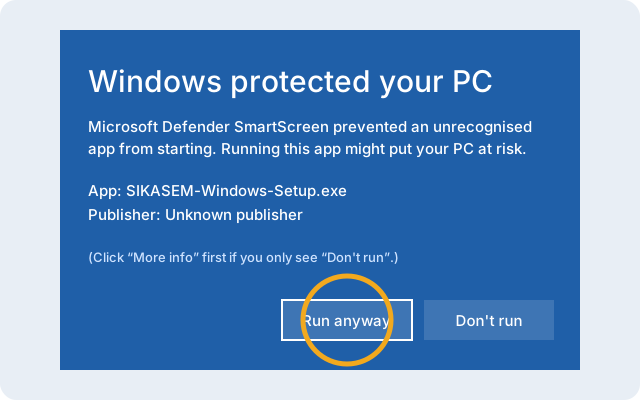
“Windows protected your PC”
Click More info, then Run anyway. Windows shows this for new apps it hasn't seen many times yet.
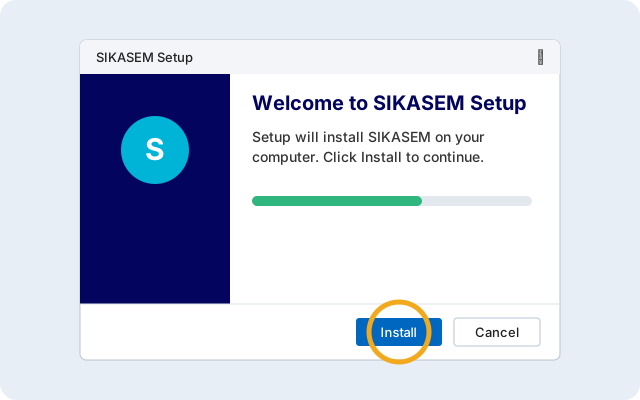
Click Install
The setup window puts the app on your computer. You don't need to be an administrator. Click Finish when it's done.
Open it
Find SIKASEM on your desktop or in the Start menu. Log in with the same email you use on the website and your records appear.
Mac
macOS 12 or newer, Intel or Apple silicon. The download is about 240 MB, so use Wi-Fi if you can.
Download and open the file
Click the Mac button on the download page, then open SIKASEM-macOS.pkg from your Downloads folder.
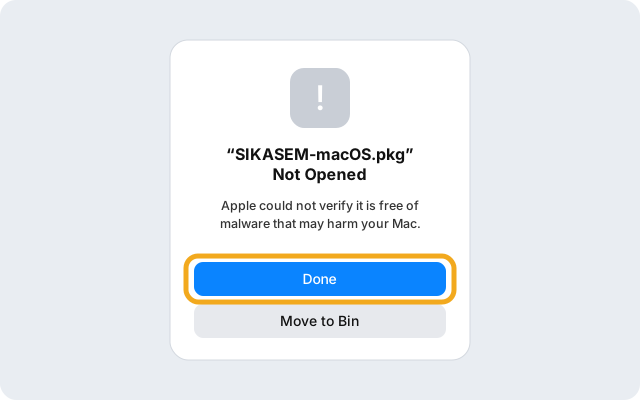
“Not Opened”: click Done
The first time, your Mac stops the installer because SIKASEM isn't from the App Store yet. Click Done (not Move to Bin).
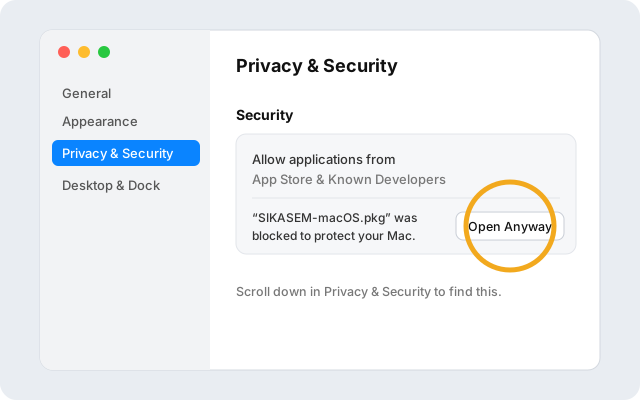
Allow it in Privacy & Security
Open the Apple menu → System Settings → Privacy & Security. Scroll down to the message about SIKASEM and click Open Anyway. Confirm with your Mac password or Touch ID.
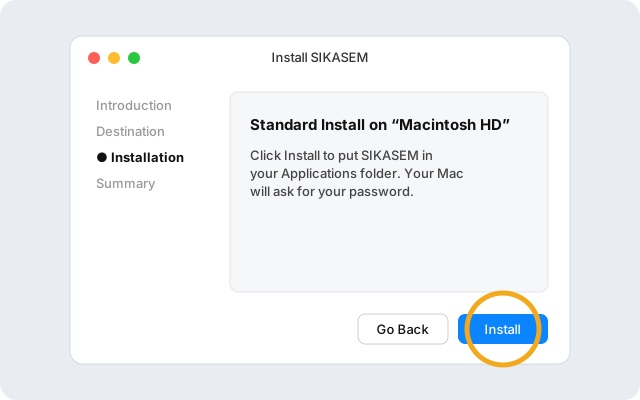
Click Continue, then Install
The installer opens. Click Continue, then Install, and enter your Mac password. Click Close at the end.
Open it
SIKASEM is in your Applications folder and Launchpad. Log in with the same email you use on the website.
Android
Android 8 or newer. Downloads are small (2–40 MB).
Download and open the file
On your phone, open this website in Chrome, tap the Android button, then tap Open when the download finishes (or find it in Chrome → ⋮ → Downloads).
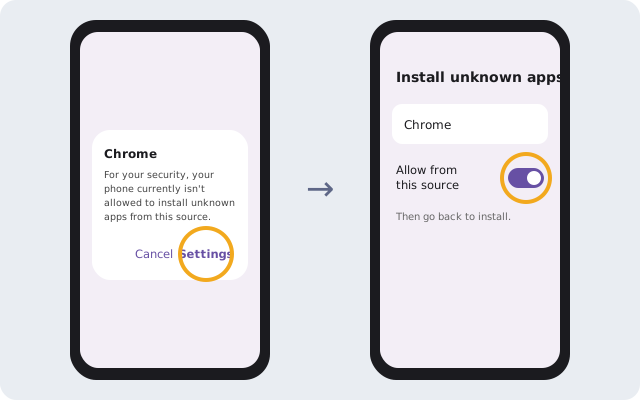
Allow installs from Chrome
If your phone says it isn't allowed to install unknown apps, tap Settings, turn on Allow from this source, then go back.
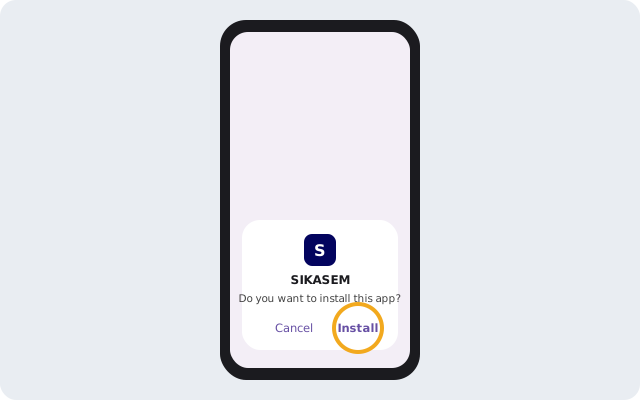
Tap Install
Tap Install, then Open. If Google Play Protect asks to scan or warns about the app, tap More details → Install anyway.
On iPhone? Open the web app in Safari, tap Share → Add to Home Screen.